Markup / Markdown
Markup languages are one of the most pervasive and common types of language on the Internet. In fact HTML is a type of markup language responsible to instruct our web browsers on how to layout text, images and the likes on our screens. Behind all web pages, there is a markup text file that is sent from a server to our browsers when we type in a URL. The beauty of markup languages is that they are both human-readable and machine-readable and written in plain text format. Reading a marked up text one can notice the special “meta-codes” and related syntax that direct machines in interpreting the same text. The idea is thus to have some standards and conventions describing these meta-codes and expected machine interpretation.
Goals
In this lesson we will introduce the Markdown language for writing (academic) texts. Markdown is a type of markup language that features very intuitive set of meta-codes and a simple syntax that can seamlessly integrate with normal text without transforming them much.
The aims of this lesson are:
- Understand the basic syntax of Markdown and be able to write markdown valid text.
- Acquire just-enough Markdown vocabulary to be used in future work.
How
Before we delve into the Markdown language, it is important to understand why we use it. A file written in the language has the benefit of being interpreted and hence converted into various types of output formats. Depending on the type markdown interpreter / converter, documents formats such as HTML, PDF, EPUB, DOC, etc. can be produced out of a single markdown file source. This is the main reason the language is widely used; to easily generate web pages, pdf publications and epub without having to directly code their actual inner formats. In using markdown as a source language, all of the above formats are made available for you to publish in. How to convert markdown file is discussed in the next lesson.
The premise of this lesson is going to be very simple. Since this lesson is written in Markdown, snippets the language/syntax will be discussed and exemplified in-line in HTML format.1
italic and bold
Let’s start with the simplest: italic and bold
Let's start with the simplest: _italic_ and __bold__Notice the single (italic) and double (bold) underscores ’_’?
Let’s continue with the same: italic and bold
Let's continue with the same: *italic* and **bold**Notice the single (italic) and double (bold) stars ’*’?
Headers & TOC Sections
Now since we are writing text, let’s now look at how Markdown detonates headers.
Using the hash mark ‘#’ one can generate various types of headers by prefixing a “title” with a concatenation of hash marks ‘#’.
Title: Un
Title: Deux
Title: Trois
Title: Quattre
Title: Cinq
Title: Six
# Title: Un
## Title: Deux
### Title: Trois
#### Title: Quattre
##### Title: Cinq
###### Title: Six
Simple. When writing text following a structure (sections, sub-sections, etc.), the heading syntax becomes handy as it can be used to generate a Table Of Content (TOC) out of your markup file. We will see this more in details shortly.
(Block) Quotes
Blockquotes are also very simple.
“Mais la seule question quand on écrit, c’est de savoir avec quelle autre machine la machine littéraire peut être brancheé, et doit être branchée pour fonctionner.”
– Deleuze & Guattari, Milles Plateaux
> "Mais la seule question quand on écrit, c'est de savoir avec quelle autre machine la machine littéraire peut être brancheé, et doit être branchée pour fonctionner."

-- Deleuze & Guattari, _Milles Plateaux_
Lists
There is a few valid syntax for lists.
Below are two common ones:
- List 1 item 1
- List 1 item 2
- List 1 item 3
- List 1 item 4
    1. List 1 item 1
    2. List 1 item 2
    3. List 1 item 3
4. List 1 item 4- List 2 item 1
- List 2 item 2
- List 2 item 3
- List 2 item 4
- List 2 item 1
- List 2 item 2
- List 2 item 3
- List 2 item 4
Nested lists:
- List 3 item 1
- List 3 item 1.1
- List 3 item 1.2
- List 3 item 2
- List 3 item 2.1
- List 3 item 2.1.1
- List 3 item 2.1.1.1
- List 3 item 2.1.1
- List 3 item 2.1
+ List 3 item 1
    - List 3 item 1.1
    - List 3 item 1.2
+ List 3 item 2
    - List 3 item 2.1
        - List 3 item 2.1.1
            - List 3 item 2.1.1.1
Links
Now the interesting stuff. (Hyper)-Linking is one of the salient feature of digital documents. Hence markdown makes it very easy to write links to a URL.
this is a link to Lesson2 with an absolute URL
this is a [link to Lesson2](http://gauthiier.github.io/wwwriting/Lesson2.html) with an absolute URLthis is the same link to Lesson2 but with an relative URL
this is the same [link to Lesson2](Lesson2.html) with an relative URLSee the distinction between absolute and relative URLs? You can always use an absolute URL to link any documents on the web using their full address. However, when your file linking other files that reside on the same address space (meaning that they are placed on the same server / filesystem), it is best to use relative URLs.
Images
Inserting images into the document is done in a similar fashion, linking the image using the same syntax as above.
For example - absolute URL

and - relative URL
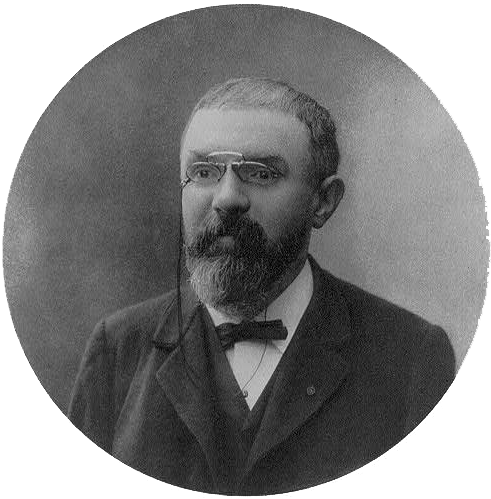
As you can see, the bang character ‘!’ is the only add-on to link syntax while the caption of the image replaces the text on the link.
Footnotes
When one has something to write that does not directly relate the core argument of a paragraph but nonetheless relates to its context, footnotes are a very practical way to branch of topic while keeping the reader not far from getting back into the main flow.
The markdown syntax of a footnotes is as follow:
I think you are eager to start writing markdown2.
I think you are eager to start writing markdown[^2]. And further down in the document
[^2]: And I hope you will do so very soon!Delimiters
A delimiter line is represented by
and denoted by
---Such delimiters are useful when one wants to graphically separate parts of a text.
We have now covered the most basic syntactic elements of the markdown language. In most cases, these are enough to write great texts and even write entire books. All of the above syntax is suited for the content of texts, however, we are yet to introduce how to layout and style the output of a markdown input file. The idea of behind markup languages is to create a clear division between content and style. Here we have covered the content side . Document conversion is covered in Lesson 4 while Lesson 6 introduces how styling can be applied to the output of such conversion.
Extra
A thorough list of all pandoc style markdown syntax
A very handy functionality of Sublime Text is its syntax highlighting for markdown. To enable such feature:
Menu –> Syntax –> Markdown –> Markdown